
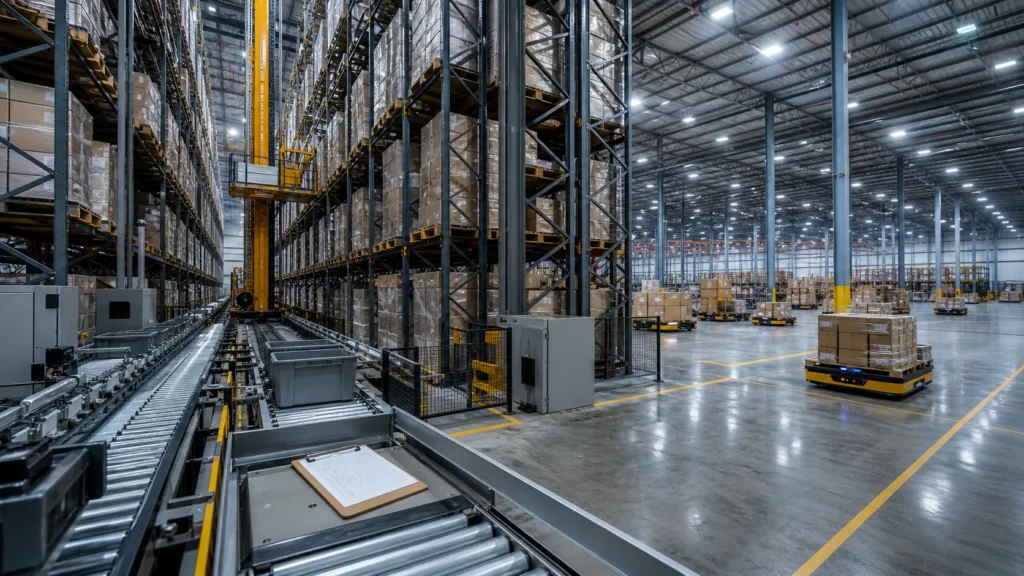
If you've ever watched a warehouse robot slide a tote into a racking slot 12 meters off the ground and thought "how does that actually work?" — you're asking the right question. Understanding how an ASRS system works is the difference between buying a technology demo and deploying a system that actually hits your throughput targets.
We've integrated ASRS systems across 50+ warehouse projects — from 3C electronics fulfillment centers running 15,000 order lines per day to cold-chain distribution hubs storing 80,000+ pallet positions. The mechanics are straightforward once you break them down. The complexity lives in the orchestration layer, where software coordinates hundreds of moving parts in real time.
This guide walks through every stage of the ASRS process: what the physical components do, how storage and retrieval cycles actually execute, how the WES (Warehouse Execution System) keeps everything synchronized, and what happens when something goes wrong. If you need a primer on what ASRS stands for and the different system types available, start with our introduction to ASRS or our comparison of ASRS system types.
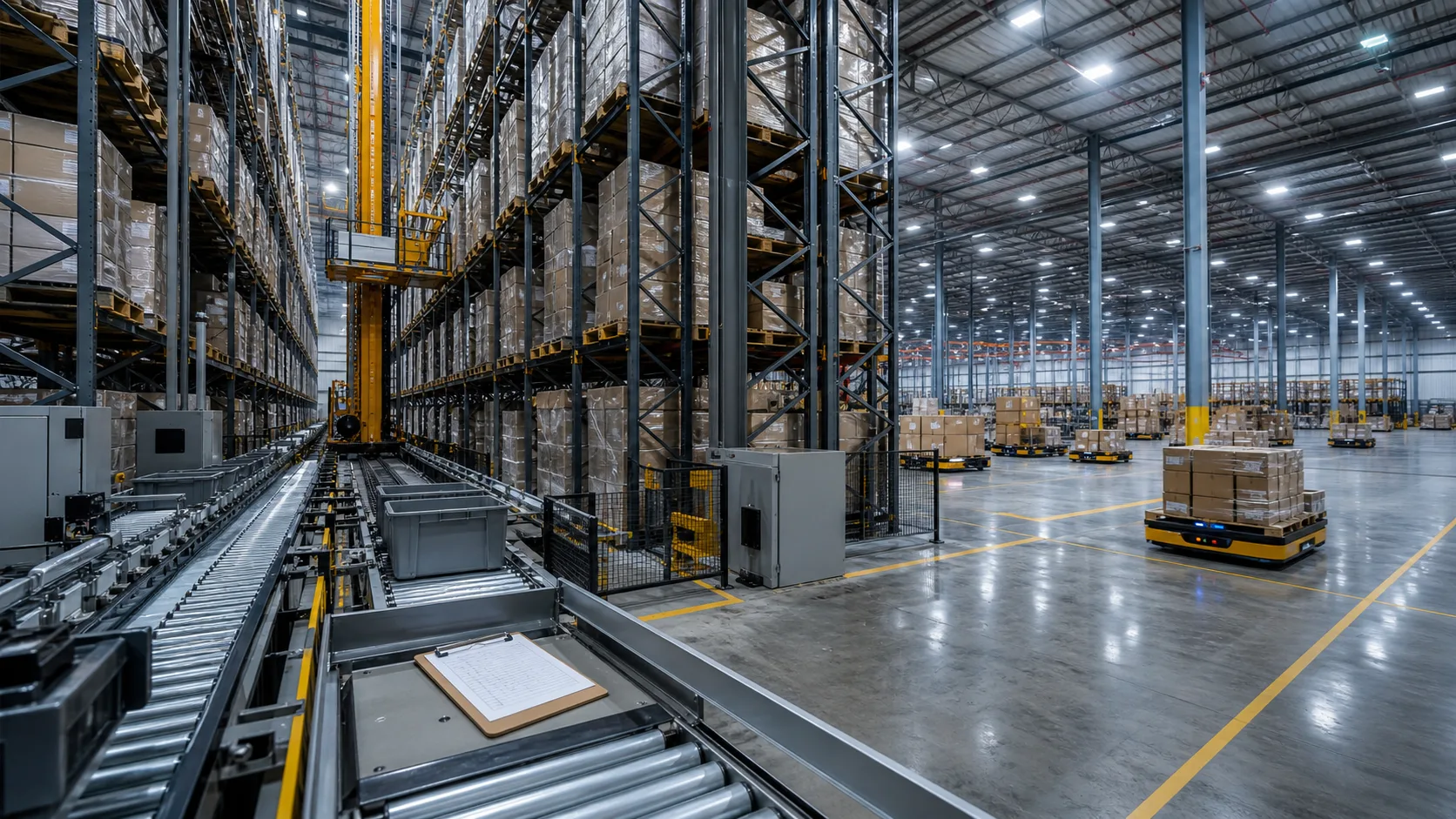
A fully operational ASRS warehouse with integrated racking, retrieval machines, and conveyor systems
Core Components of an ASRS System
Every ASRS installation — whether it's a crane-based unit load system or a fleet of 500 bin robots — is built from four fundamental component groups. The Material Handling Institute (MHI) classifies these under the broader category of automated material handling, but the practical architecture stays consistent across implementations.
1. Racking Structure
The racking is the skeleton of the system. Steel racking frames define the storage grid — rows, columns, and levels that create thousands of individual storage positions. In a typical bin robot installation, racking reaches 8 to 10 meters high with 10 to 15 storage levels. Crane-based pallet systems go taller, often 30 to 40 meters.
Each position in the racking has a unique address — think of it like a coordinate system (aisle, column, level). The WES tracks what's stored at every address in real time.
Key specs that matter:
- Storage density: 2x to 4x more positions per square meter compared to conventional shelving
- Weight capacity: 30 kg per tote position (bin systems) up to 1,500 kg per pallet position (unit load)
- Seismic and load ratings: engineered per site, especially for high-rise installations
2. Automated Storage and Retrieval Machines
This is where the physical movement happens. Depending on the type of ASRS system, the retrieval machines take different forms:
- Stacker cranes — rail-guided machines that travel along aisles, handling one or two pallets/totes per cycle. Common in unit load and traditional mini load ASRS installations.
- Shuttle vehicles — compact autonomous carriers that move horizontally within a single racking level. Vertical movement is handled by dedicated lifts. These scale by adding more shuttles.
- Bin robots — autonomous mobile robots that climb the racking structure itself, extract totes, and deliver them to workstations. This is the goods-to-person picking model that's growing fastest in e-commerce.
- AGVs and AMRs — ground-level autonomous vehicles that carry shelving units or totes across the warehouse floor.
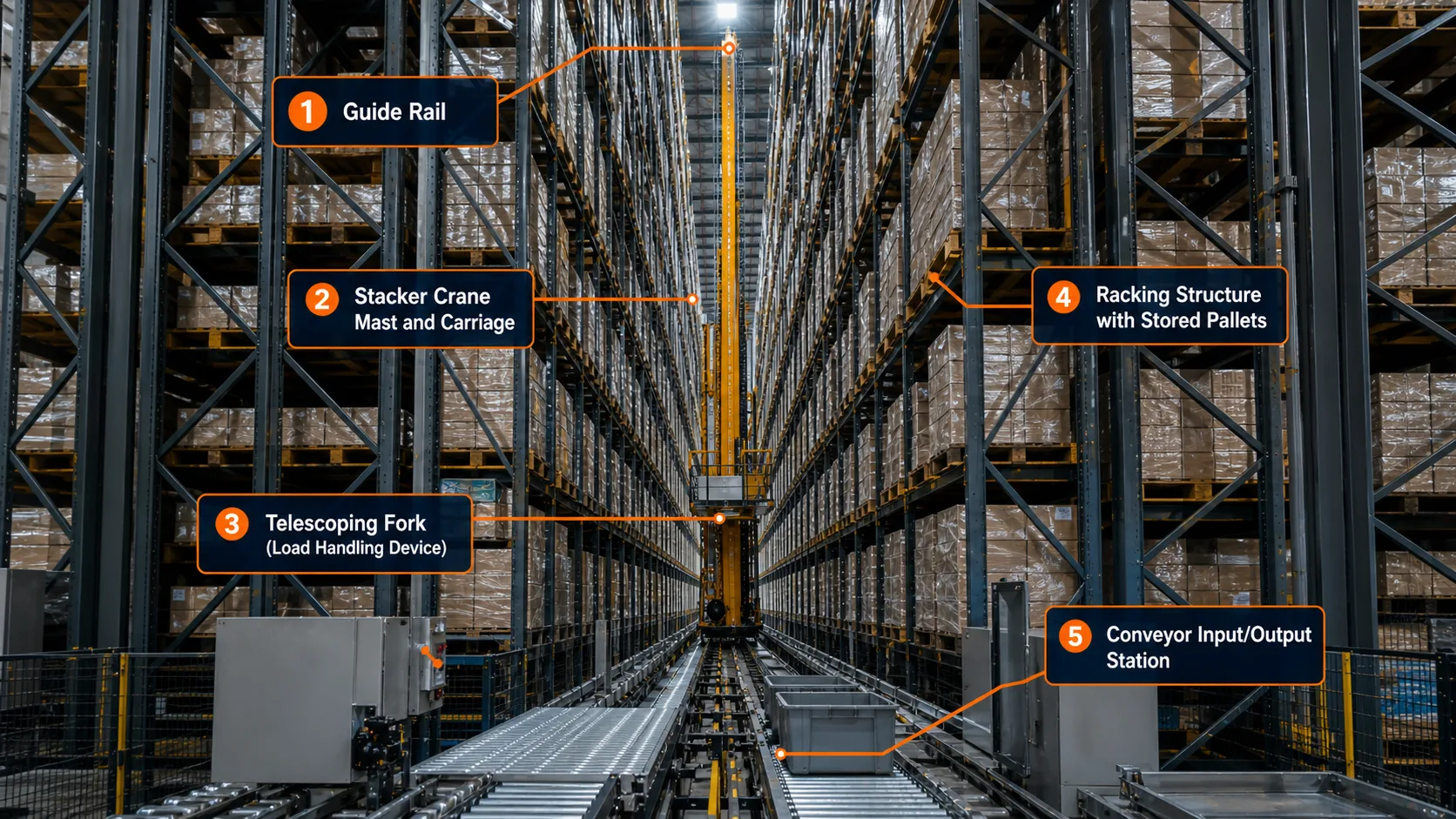
Key components of an ASRS system: racking, retrieval machines, conveyors, and WES software
3. Conveyor and Transfer Systems
Conveyors are the circulatory system connecting the storage zone to the rest of the warehouse. They move totes, cartons, and pallets between:
- Inbound receiving stations (where goods enter the system)
- Storage machine handoff points (where cranes or robots pick up items)
- Picking workstations (where human operators or robotic arms process orders)
- Outbound staging and shipping lanes
A mid-size installation might run 200 to 500 meters of conveyor with merge points, divert switches, and accumulation zones. The conveyor layout directly impacts system throughput — a poorly designed transfer loop creates bottlenecks that no amount of robot speed can fix.
4. WES Software (The Brain)
The Warehouse Execution System is the software layer that makes everything work together. It's not just inventory tracking — it's real-time traffic control for every machine, conveyor segment, and workstation in the facility.
The WES handles:
- Task generation — converting order requirements into specific storage/retrieval commands
- Path optimization — calculating the most time-efficient route for each machine
- Traffic management — preventing collisions and deadlocks when dozens of robots share the same racking structure
- Workstation balancing — distributing tasks across picking stations to prevent any single station from becoming a bottleneck
- Inventory mapping — tracking the exact location of every SKU in every storage position
We'll go deeper on WES orchestration later in this article. For now, understand that the WES is what separates a collection of machines from a functioning system.
How the Storage Cycle Works (Step by Step)
When new inventory arrives at the warehouse, here's exactly what happens inside an ASRS system. We'll use a bin robot system as the example since it's the most common configuration we deploy, but the logic applies to crane and shuttle systems too.
Step 1: Inbound receiving and scanning. Goods arrive at the receiving dock. Operators scan barcodes or RFID tags, and the WES registers each item against the expected purchase order. The system now knows what needs to be stored and in what quantity.
Step 2: Tote assignment. The WES assigns items to specific totes based on SKU dimensions, weight, and storage rules. Some items share totes (multi-SKU slotting); others get dedicated positions. The system factors in pick frequency — fast-moving SKUs get placed in positions that minimize robot travel time.
Step 3: Conveyor transport to the storage zone. Loaded totes move via conveyor from the receiving station to the storage zone entry point. Barcode scanners at each conveyor junction verify the tote ID and confirm routing.
Step 4: Storage position assignment. This is where the WES optimization kicks in. The software selects the optimal storage position based on multiple factors:
- SKU velocity (how often this item gets picked)
- Current zone utilization (spreading inventory across zones to prevent congestion)
- Robot proximity (assigning a position near an available robot to minimize wait time)
- Weight distribution (keeping heavy totes on lower levels for structural safety)
Step 5: Robot dispatch and storage. The WES sends a storage command to the nearest available robot. The robot travels to the conveyor handoff point, picks up the tote, moves through the racking structure to the assigned position, and places the tote. The entire sequence — from command to confirmed storage — takes 30 to 90 seconds depending on travel distance.
Step 6: Position confirmation. The robot confirms the tote is seated correctly in the storage position. The WES updates its inventory map: SKU X, quantity Y, now stored at position A-14-7 (aisle A, column 14, level 7). The position is locked — no other tote can be assigned there until this one is retrieved.
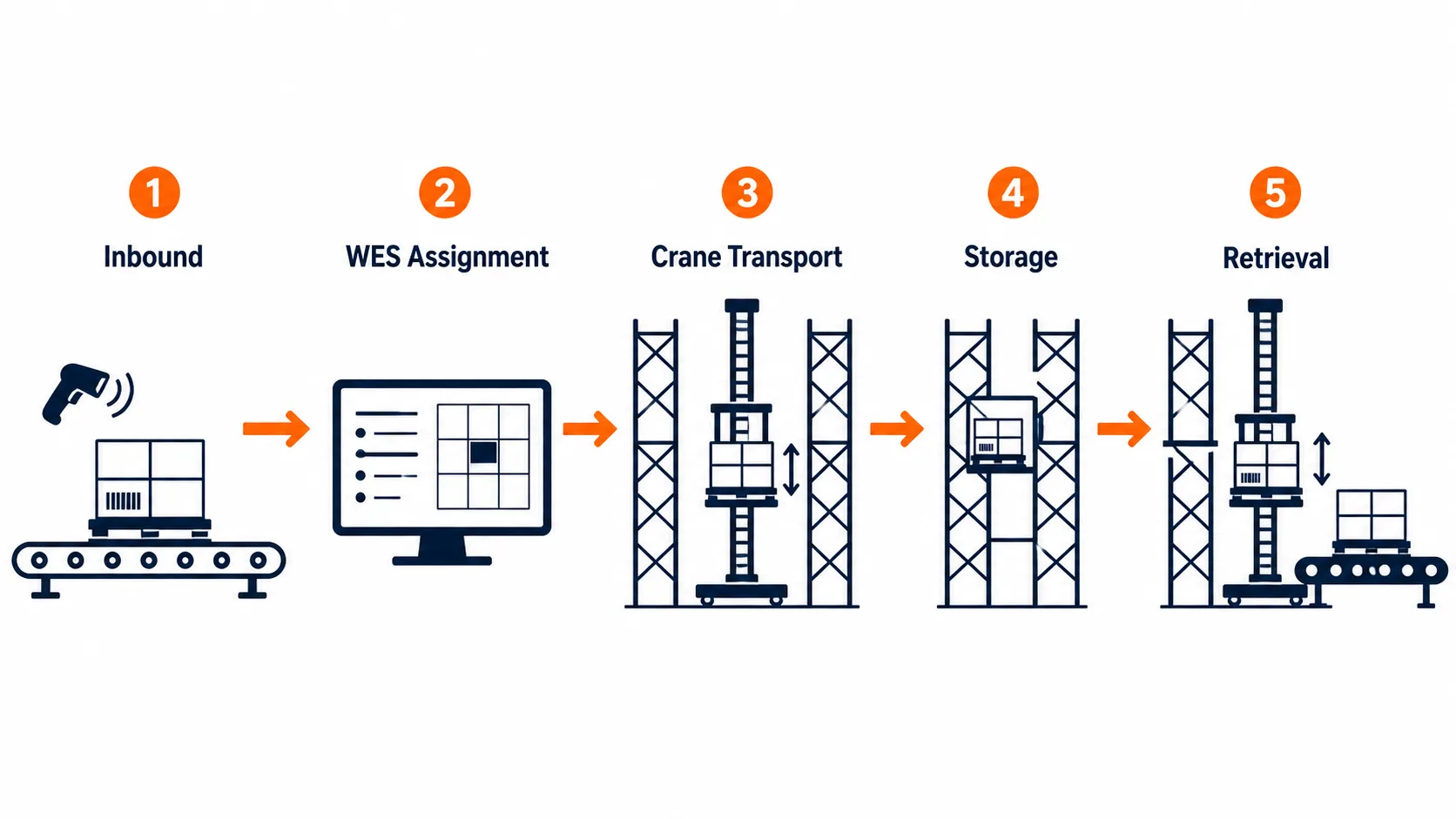
The complete ASRS storage and retrieval cycle from receiving to order fulfillment
How the Retrieval Cycle Works (Step by Step)
Retrieval is the reverse flow, triggered when a customer order or replenishment request hits the system.
Step 1: Order receipt and wave planning. The WES receives order data from the WMS (Warehouse Management System) or ERP. For high-volume operations, orders are grouped into waves — batches of 50 to 200 orders that share common SKUs, allowing the system to retrieve one tote and serve multiple orders from it.
Step 2: Retrieval command generation. The WES breaks each order into individual retrieval tasks. If an order contains 5 different SKUs, that's 5 retrieval commands — one for each tote that holds the needed item. The system sequences these commands to minimize total robot travel time across all active orders.
Step 3: Robot dispatch. Available robots receive retrieval commands and travel to the target storage positions. In a well-tuned system with 100+ robots, multiple retrievals execute simultaneously across different zones of the racking structure.
Step 4: Tote extraction and transport. The robot extracts the tote from its storage position and carries it to the designated picking workstation. Conveyor systems handle the final transfer from the robot handoff point to the operator's station.
Step 5: Picking and confirmation. At the workstation, a pick-to-light display or screen interface tells the operator exactly which items to pick and in what quantity. The operator picks the items, confirms the pick via scanner or button press, and the WES deducts the picked quantity from inventory.
Step 6: Tote return or re-slotting. If the tote still contains inventory, the robot returns it to a storage position — not necessarily the same one it came from. The WES may re-slot the tote to a position closer to the workstations if the remaining SKU has high pick frequency. Empty totes get routed to the inbound area for reuse.
A single retrieval cycle — from order receipt to item picked — takes 60 to 180 seconds in a typical bin robot system. When we deployed a 200-robot system for a sportswear client, the average retrieval-to-pick time was 72 seconds, with peak throughput hitting 650 order lines per hour across 8 workstations. You can see the full results in our Li-Ning case study.
The Brain: How WES Orchestrates Everything
The WES is where the real engineering lives. The physical hardware — robots, conveyors, racking — is relatively straightforward. Making 200 robots work together without collisions, deadlocks, or idle time is the hard part.
Real-Time Task Scheduling
The WES maintains a priority queue of all pending tasks (storage commands, retrieval commands, charging commands, maintenance tasks). Every 100 to 500 milliseconds, the scheduler evaluates the queue and assigns tasks to available machines based on:
- Proximity — which robot is closest to the target position?
- Battery level — does this robot have enough charge to complete the task and return to a charging station?
- Congestion — is the target zone already crowded with other robots?
- Priority — is this a rush order that needs to jump the queue?
In our experience, the scheduling algorithm accounts for 30 to 40% of the total system throughput difference between a well-tuned and poorly-tuned installation. The same hardware, with better software, can move 25% more totes per hour.
Traffic Management and Collision Avoidance
When 100+ robots share the same racking structure, traffic management becomes a serious engineering challenge. The WES divides the racking into zones and manages robot movement using a combination of:
- Reserved path segments — a robot claims a path before moving, and other robots route around it
- One-way traffic lanes — high-traffic corridors enforce directional flow to prevent head-on conflicts
- Dynamic rerouting — if a robot encounters an unexpected blockage, the WES calculates an alternative path in real time
- Deadlock detection — the system identifies circular wait conditions (Robot A waiting for Robot B, which is waiting for Robot A) and resolves them by backing one robot out
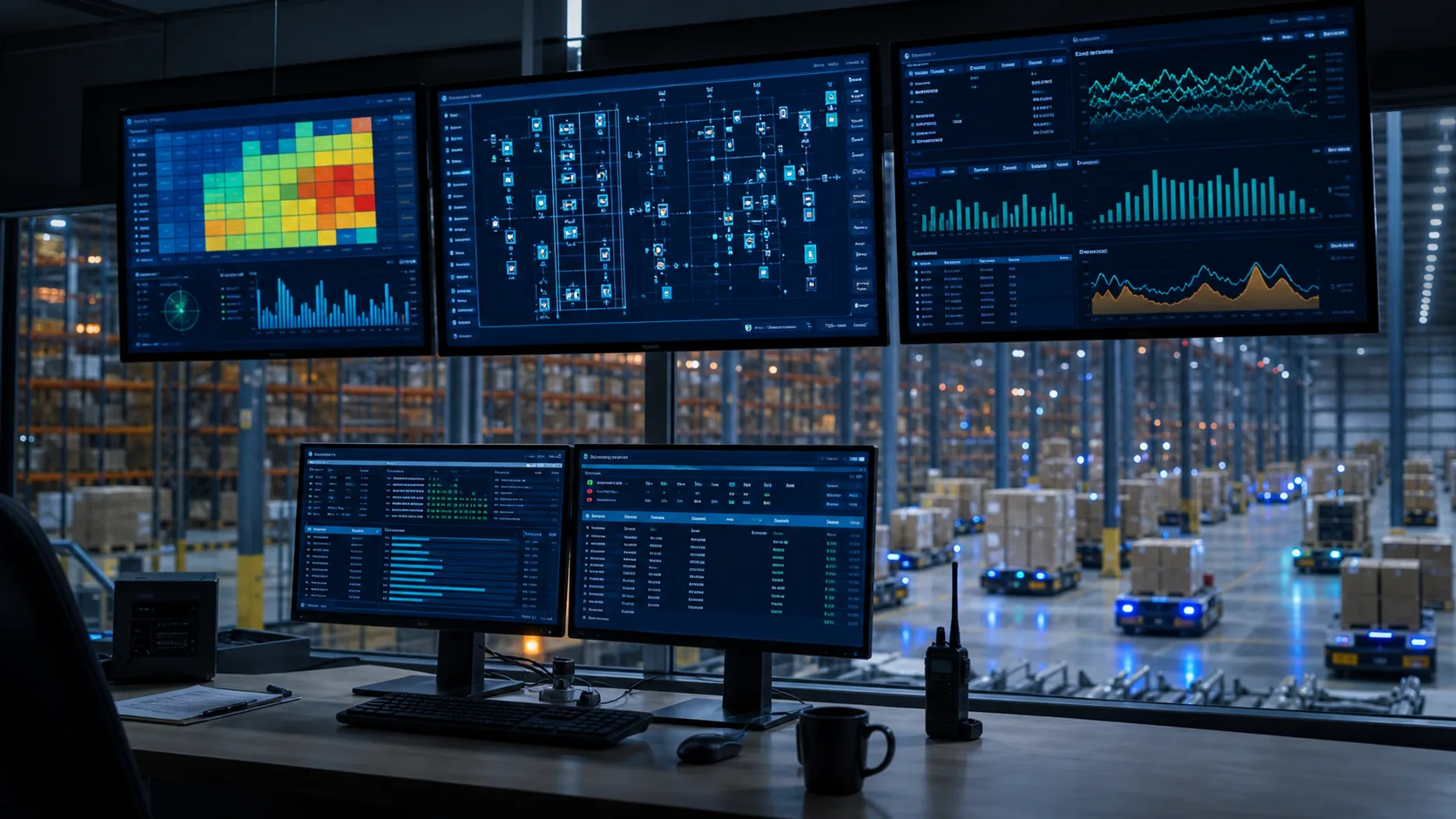
WES control center monitoring hundreds of robots, conveyor segments, and workstations in real time
Heat Map Optimization
The WES continuously analyzes pick frequency data and adjusts storage positions accordingly. High-velocity SKUs migrate toward positions that minimize average retrieval time — closer to workstations, on levels that require less vertical travel, in zones with more available robots.
This isn't a one-time slotting exercise. The system re-optimizes continuously based on rolling demand patterns. A SKU that was slow-moving last month but is trending up this week gets automatically repositioned. When we work with e-commerce clients running seasonal promotions, this dynamic slotting cuts average retrieval time by 15 to 20% during peak periods compared to static position assignment.
Speed and Throughput: Real Performance Numbers
Abstract descriptions don't help you size a system. Here are actual throughput numbers from installations we've worked on:
| Metric | Bin Robot System | Shuttle System | Crane System |
|---|---|---|---|
| Totes per hour per workstation | 60-120 | 80-150 | 30-60 |
| Order lines per hour (8 stations) | 480-960 | 640-1,200 | 240-480 |
| Average retrieval time | 60-90 sec | 45-75 sec | 90-180 sec |
| Storage positions | 20,000-100,000+ | 15,000-80,000 | 5,000-50,000 |
| Robots/machines per system | 50-500+ | 20-200 | 1-2 per aisle |
| System availability | 99.5-99.8% | 99.0-99.5% | 98.5-99.5% |
These numbers vary based on racking height, tote dimensions, SKU mix, and facility layout. The ranges represent the 25th to 75th percentile across projects we've been involved with.
The throughput multiplier effect: A manual warehouse with 20 pickers typically processes 100 to 150 order lines per hour per picker, or 2,000 to 3,000 total. The same order volume can be handled by an ASRS with 8 workstations and 4 operators — a 5x labor reduction with higher accuracy. Our warehouse automation ROI guide breaks down the full financial model.
What Happens When Something Goes Wrong
No system runs at 100% uptime forever. Here's how a well-designed ASRS handles failures — and this is an area where the difference between a good integrator and a cheap one becomes very obvious.
Robot Failures
When a robot malfunctions mid-task (motor failure, sensor error, communication loss), the WES immediately:
- Flags the robot as offline and removes it from the task queue
- Reassigns the robot's pending task to the nearest available unit
- If the robot is blocking a path, dispatches a maintenance alert with the exact racking coordinates
- Routes other robots around the disabled unit
In a 200-robot system, losing 2 to 3 robots at any given time is normal and has zero impact on throughput. The system is designed with redundancy — you don't need every robot running to hit your target numbers. When we spec systems for clients, we typically size the fleet at 110 to 115% of the calculated requirement specifically to absorb these situations.
Conveyor Jams
Conveyor jams trigger zone-specific shutdowns. The WES stops the affected conveyor segment, alerts maintenance, and reroutes tote traffic through alternative paths if the conveyor layout includes bypass loops. Most modern installations include redundant conveyor paths for exactly this reason.
Software Failover
The WES runs on redundant server clusters with automatic failover. If the primary server goes down, the standby takes over within seconds. Robot positions and task states are synchronized continuously, so no data is lost during the switch. During failover, robots hold their current positions until the backup system confirms it has full control — a safety measure that prevents uncoordinated movement.
Power Failures
ASRS systems include UPS (uninterruptible power supply) units that keep the WES and communication systems running during brief outages. Robots brake and lock in place. When power returns, the WES performs a full position audit — every robot reports its location, and the system reconciles against its last known state before resuming operations.
ASRS vs Manual Warehouse: Side-by-Side Process Comparison
To put the ASRS workflow in context, here's how the same order fulfillment process looks in a manual warehouse versus an automated one:
| Process Step | Manual Warehouse | ASRS Warehouse |
|---|---|---|
| Order received | Printed pick list or RF scanner assignment | WES auto-generates retrieval commands |
| Locate item | Worker walks to shelf location (avg 60% of shift is walking) | Robot retrieves tote in 60-90 seconds |
| Pick item | Worker scans and picks from shelf | Operator picks from tote at workstation |
| Pick accuracy | 97-99% (human error) | 99.9%+ (system-verified) |
| Return/re-slot | Worker returns to shelf or leaves cart | Robot auto-returns tote to optimal position |
| Throughput per worker | 80-150 lines/hour | 120-200 lines/hour (at workstation) |
| Space utilization | 30-40% of cubic volume | 70-85% of cubic volume |
| Operating hours | Limited by shift schedules | 24/7 capable (robots charge in rotation) |
The biggest difference isn't speed — it's consistency. A manual picker's throughput drops 20 to 30% over an 8-hour shift due to fatigue. An ASRS maintains the same pace at hour 1 and hour 20. Over a full year, that consistency compounds into a significant output advantage.
For a deeper comparison of automated vs manual approaches, see our ASRS vs traditional warehousing analysis.
Frequently Asked Questions
How long does it take to install an ASRS system?
A typical installation takes 6 to 12 months from contract signing to go-live. The timeline breaks down roughly as: 2 to 3 months for detailed design and engineering, 3 to 4 months for manufacturing and racking installation, and 2 to 3 months for system integration, testing, and commissioning. Larger projects with 300+ robots or custom racking configurations can extend to 14 to 18 months. The WES integration phase — connecting the ASRS to your existing WMS and ERP — is usually the part that takes longer than expected.
Can an ASRS system handle different product sizes?
Yes, but with constraints. Most bin robot and shuttle systems work with standardized totes (common sizes are 400x600mm and 600x800mm). Items that fit within those dimensions are handled natively. Oversized or irregularly shaped items typically need a separate handling process — either manual storage or a dedicated unit load system for palletized goods. When we design systems for clients with mixed inventory profiles, we often recommend a hybrid approach: ASRS for the 80% of SKUs that fit standard totes, and conventional storage for the remaining 20%.
What's the typical ROI timeline for an ASRS?
Most ASRS installations reach payback in 3 to 5 years, driven primarily by labor cost reduction (50 to 70% fewer warehouse workers), space savings (2x to 4x more storage in the same footprint), and accuracy improvements (reducing costly shipping errors). Operations running two or three shifts see faster payback because the labor savings multiply. For a detailed cost breakdown, see our ASRS system cost guide. Our ROI calculation guide includes a framework you can use with your own numbers.
Does an ASRS need a WMS to function?
The ASRS itself is controlled by the WES, not the WMS. But in practice, yes — you need a WMS or ERP system feeding order data to the WES. The WMS handles the business logic (what to ship, when, to whom), and the WES handles the execution logic (which robot, which tote, which workstation). Some WES platforms include basic WMS functionality for smaller operations, but most mid-to-large installations run both systems. Learn more about the software layers in our WES product overview.
How much floor space does an ASRS require?
An ASRS stores 2x to 4x more inventory per square meter than conventional shelving because it uses vertical space that manual operations can't reach. A bin robot system storing 50,000 tote positions might occupy 800 to 1,200 square meters of floor space — roughly the same area that would hold 15,000 to 20,000 positions with traditional shelving. The exact footprint depends on racking height (limited by building ceiling height), aisle configuration, and the number of workstations and conveyor runs needed.
What maintenance does an ASRS require?
Preventive maintenance typically includes monthly robot inspections (wheel wear, sensor calibration, battery health), quarterly conveyor belt and motor checks, and annual racking structural inspections. Most WES platforms include predictive maintenance features that flag components approaching failure thresholds before they break. Budget 2 to 4% of the initial system cost annually for maintenance and spare parts. Robot batteries are the most common replacement item, with typical lifespans of 3 to 5 years depending on duty cycles.
Ready to see how an ASRS system would work in your specific warehouse environment? Contact our team for a free consultation, or explore our solutions by industry to see how we've solved similar challenges for companies like yours.
Planning a Warehouse Automation Project?
Our team has delivered 50+ ASRS systems across retail, manufacturing, and logistics. Tell us about your project and we will get back to you within 24 hours.
Thank you!
We received your message and will get back to you within 24 hours.